
This article may contain affiliate links. We may earn a small commission if you purchase through our links, at no extra cost to you. We only recommend tools we’ve personally tested.
Affiliate Disclosure: Some links in this article are affiliate links. If you make a purchase through these links, we may earn a commission at no additional cost to you. We only recommend tools we actively use and trust.
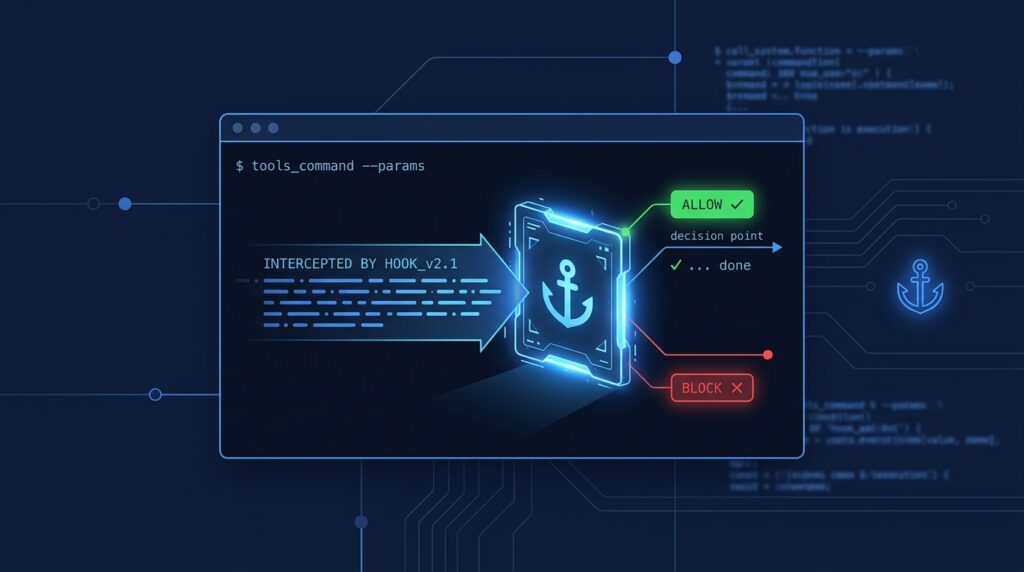
Skills tell Claude Code what to do. Hooks make sure certain things happen whether Claude remembers to do them or not. A hook is a command (or an HTTP call, or a prompt) that Claude Code runs itself at a fixed point in its lifecycle: before a tool runs, after it runs, when a session starts, when Claude stops. Because the hook runs outside the model, it is deterministic. Your formatter always runs. Your rm -rf guard always fires. Nobody has to hope the agent read the instructions.
This guide covers how hooks are configured, the handful of events you will actually use, the exit-code and JSON rules that decide whether an action is allowed, and five hooks we run in our own projects. If you are new to Claude Code, read our complete setup guide first; if you have been using skills and slash commands, hooks are the next layer down.
What a hook is (and is not)
A hook is an entry in a settings file that says: when event X happens, and the thing that triggered it matches pattern Y, run handler Z. The handler gets a JSON description of the event on stdin and can answer with an exit code or a JSON document.
Hooks are not prompts. They do not persuade Claude; they intercept it. That distinction is the whole point:
- A line in
CLAUDE.mdsaying “always run prettier after editing” works most of the time. - A
PostToolUsehook onEdit|Writethat runs prettier works every time, including inside subagents and long sessions where instructions have been compacted away.
Use CLAUDE.md for judgment calls. Use hooks for rules.
Where hooks live
Hooks are JSON, in the same settings files you already use:
| File | Scope |
|---|---|
~/.claude/settings.json |
You, every project |
.claude/settings.json |
The project — commit it, your team gets the hooks |
.claude/settings.local.json |
The project, only your machine (git-ignored) |
Plugins ship hooks in hooks/hooks.json, and skills and subagents can declare hooks in their frontmatter. Managed (organization) settings can enforce hooks nobody can remove.
The shape is always the same: an event name, an optional matcher, and a list of handlers.
{
"hooks": {
"PostToolUse": [
{
"matcher": "Edit|Write",
"hooks": [
{
"type": "command",
"command": "npx prettier --write \"$(jq -r '.tool_input.file_path')\"",
"timeout": 30
}
]
}
]
}
}
That one hook formats every file Claude edits or writes, as soon as the edit lands.
The events that matter
The reference lists more than forty events, from SessionStart to PreModelSwitch to WorktreeCreate. Most people need five:
| Event | Fires | Can it block? | Typical use |
|---|---|---|---|
PreToolUse |
Before a tool call | Yes | Guard rails: deny dangerous commands, protect files, rewrite inputs |
PostToolUse |
After a tool call succeeds | Yes (flags the result for Claude) | Format, lint, run tests, log |
UserPromptSubmit |
When you send a prompt | Yes | Inject context, reject prompts that leak secrets |
SessionStart |
New session, resume, /clear, after compaction |
No | Load project state, set environment variables |
Stop |
Claude finishes a turn | Yes | “Did you run the tests?” verification before Claude is allowed to stop |
Two more are worth knowing: PostToolUseFailure (a tool errored — useful for alerting) and Notification (Claude is waiting on you — pipe it to your phone).
Matchers
The matcher decides which occurrences of an event trigger the hook:
"*", empty, or omitted — every occurrence.- A plain name or a
|-separated list — exact tool names:Bash,Edit|Write,Read. - Anything with regex characters is treated as an unanchored JavaScript regex:
^Notebook,mcp__.__write..
MCP tools match as mcp__, so mcp__github__.* catches everything from a GitHub MCP server. For non-tool events the matcher means something else: SessionStart matches on startup, resume, clear or compact; SubagentStart matches the agent type; FileChanged matches literal filenames.
There is also an if field on each handler that takes permission-rule syntax, e.g. "if": "Bash(git *)", so a Bash hook only runs for git commands instead of parsing the command yourself.
What the hook receives, and how it answers
Every handler gets JSON on stdin (or as the POST body for HTTP hooks). The common fields are session_id, cwd, transcript_path, permission_mode and hook_event_name; tool events add tool_name, tool_input and tool_use_id. A PreToolUse for a shell command looks like this:
{
"session_id": "abc123",
"cwd": "/home/me/project",
"hook_event_name": "PreToolUse",
"tool_name": "Bash",
"tool_input": { "command": "git push --force origin main" },
"tool_use_id": "toolu_01ABC"
}
The handler answers with an exit code, and optionally JSON on stdout:
| Exit code | Meaning |
|---|---|
0 |
Allowed. If stdout is valid JSON, Claude Code reads it; for UserPromptSubmit and SessionStart, plain-text stdout is added to Claude’s context |
2 |
Blocked. The action does not happen. Whatever you wrote to stderr is shown to Claude as the reason, so write a useful one |
| anything else | Non-blocking error; the action proceeds |
JSON gives finer control. For PreToolUse:
{
"hookSpecificOutput": {
"hookEventName": "PreToolUse",
"permissionDecision": "deny",
"permissionDecisionReason": "Force-pushing to main is not allowed in this repo.",
"additionalContext": "Use a feature branch and open a PR."
}
}
permissionDecision can be allow, deny, ask (prompt the human) or defer. updatedInput lets a hook rewrite the tool’s arguments before they run — for example, adding --dry-run to a deploy command. For PostToolUse, Stop, UserPromptSubmit and friends, the top-level {"decision": "block", "reason": "..."} form sends the reason back to Claude so it can correct course.
One rule to remember: exit code 2 always wins. JSON cannot un-block it.
Five hooks worth copying
These are the ones that have earned their place in our own .claude/settings.json.
1. Refuse destructive shell commands
{
"hooks": {
"PreToolUse": [
{
"matcher": "Bash",
"hooks": [
{
"type": "command",
"command": "jq -r '.tool_input.command' | grep -qE 'rm -rf /|rm -rf ~|git push.--force.main|DROP TABLE' && { echo 'Blocked by hook: destructive command' >&2; exit 2; } || exit 0"
}
]
}
]
}
}
Cheap, deterministic, and it catches the handful of commands that are never worth a second chance. Extend the pattern list for your own stack (terraform destroy, kubectl delete ns).
2. Format on every edit
The prettier example above. For Python swap in black or ruff format; for Go, gofmt -w. Use PostToolUse with matcher Edit|Write and keep the timeout short — a hook that hangs stalls the whole session.
3. Keep secrets out of files
{
"matcher": "Edit|Write",
"hooks": [
{
"type": "command",
"command": "jq -r '.tool_input.content // .tool_input.new_string // \"\"' | grep -qE 'AKIA[0-9A-Z]{16}|sk-[A-Za-z0-9]{32,}|ghp_[A-Za-z0-9]{36}' && { echo 'Blocked: looks like a credential' >&2; exit 2; } || exit 0"
}
]
}
Put this under PreToolUse, not PostToolUse — you want the write refused, not reported after the key is on disk.
4. Load project state at session start
{
"hooks": {
"SessionStart": [
{
"matcher": "startup|resume|compact",
"hooks": [
{
"type": "command",
"command": "git status --short | head -20; git log --oneline -5; cat docs/TODO-current.md 2>/dev/null | head -40"
}
]
}
]
}
}
Plain-text stdout from a SessionStart hook goes straight into Claude’s context, so every session — including the one that just compacted its memory — starts knowing what changed and what is pending. We use exactly this pattern to survive context compaction on long infrastructure sessions.
5. Don’t let Claude stop with failing tests
{
"hooks": {
"Stop": [
{
"hooks": [
{
"type": "command",
"command": "npm test --silent >/dev/null 2>&1 && exit 0 || { echo 'Tests are failing. Fix them before stopping.' >&2; exit 2; }",
"timeout": 300
}
]
}
]
}
}
A blocked Stop sends the reason back to Claude, which then keeps working. Be careful with this one: pair it with a sensible test suite, or you will build a loop that never ends.
Beyond shell commands
type: "command" covers most needs, but there are four other handler types:
http— POST the event JSON to a URL and read the same JSON response format back. This is how you centralise policy for a team: one small service that every developer’s Claude Code consults. It needs to be reachable and fast; ours runs on a DigitalOcean droplet that costs less than a lunch per month.mcp_tool— call a tool on one of your configured MCP servers, with${tool_input.file_path}-style substitution from the event. (If you are building your own, see how to build an MCP server.)prompt— ask the model a yes/no question about the event. Slower and non-deterministic, but good for judgment calls like “does this diff touch billing logic?”agent— spawn a subagent to verify a condition. Experimental, and expensive enough that you want it onStop, not on every tool call.
Hooks also support async: true (fire and forget — ideal for logging and notifications), once: true (run a single time per session) and statusMessage (what the spinner says while the hook runs).
Gotchas we hit
- Timeouts are silent. A command hook that exceeds its timeout is cancelled and, on
PreToolUse, does not block. If a guard matters, keep it fast. - Hooks inherit permission scope, not trust. Hooks declared in skill or subagent frontmatter follow workspace trust rules; a project you have not trusted will not run them.
disableAllHooks: truein settings turns everything off — handy for debugging when you cannot work out why edits are being rejected.- Subagents fire hooks too. A
PostToolUseformatter that is fine for you will also run inside every subagent, which is usually what you want but doubles the cost of a slow hook. - Exit 2 needs a reason. If stderr is empty, Claude just sees “blocked” and will try something else, often worse. Explain what to do instead.
When hooks are the wrong tool
Hooks enforce; they do not teach. If Claude keeps choosing the wrong library or mis-structuring commits, the fix is a clearer CLAUDE.md or a skill, not a hook that rejects the result afterwards. And if you are building an autonomous pipeline rather than a workstation, the Agent SDK exposes the same hook events programmatically, which is cleaner than JSON files.
Start with the destructive-command guard and the formatter. They take five minutes, they never get in the way, and they are the two hooks everyone wishes they had installed before the day they needed them.
