
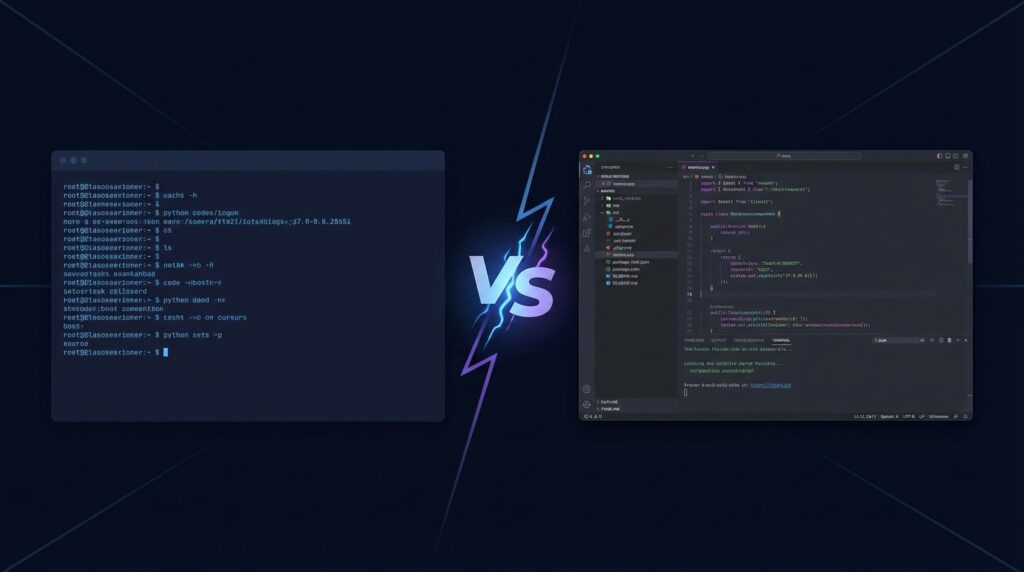
The AI coding tool landscape has exploded in 2026, but two names keep coming up in every developer conversation: Claude Code and Cursor. Both promise to revolutionize how you write software, but they take fundamentally different approaches to getting there.
Claude Code is Anthropic’s CLI-first agentic coding assistant that lives in your terminal. Cursor is an AI-native code editor forked from VS Code. One wants to be your autonomous coding partner. The other wants to be the smartest IDE you’ve ever used.
At RunAICode, we’ve spent months using both tools in real production workflows — building web applications, refactoring legacy codebases, debugging complex issues, and shipping features under deadline pressure. This isn’t a spec-sheet comparison. It’s a practical guide based on actual experience writing real code with both tools.
Here’s what we found.
What Is Claude Code?
Claude Code is Anthropic’s official command-line interface for their Claude AI models. Released in early 2025 and rapidly iterated throughout the year, it represents a distinctly different philosophy from most AI coding tools: instead of living inside your editor, it lives in your terminal.
The core idea is agentic coding. You describe what you want — “add authentication to this Express app” or “refactor the database layer to use connection pooling” — and Claude Code plans, implements, tests, and iterates autonomously. It reads your files, writes code, runs commands, fixes errors, and keeps going until the task is done.
Key Characteristics of Claude Code
- CLI-first design: No GUI, no IDE plugin. It runs in your terminal alongside your existing workflow.
- Agentic execution: Claude Code doesn’t just suggest code — it executes multi-step plans, running shell commands, editing files, and verifying results.
- Model flexibility: Powered by Anthropic’s Claude models (currently Claude Opus 4 and Sonnet 4), with the ability to switch between models for different tasks.
- Deep context understanding: Can analyze entire codebases, understand project structure, and maintain context across long sessions.
- Tool use: Has access to file operations, shell commands, web browsing, and other tools that let it interact with your development environment directly.
- Editor agnostic: Works with VS Code, Vim, Emacs, or any editor. Your choice of IDE is completely independent.
Claude Code shines when you need to make sweeping changes across multiple files, debug complex issues by reading logs and testing hypotheses, or scaffold entire features from a high-level description.
What Is Cursor?
Cursor is an AI-native code editor built as a fork of Visual Studio Code. Founded in 2023, Cursor takes the familiar VS Code interface that millions of developers already know and deeply integrates AI capabilities at every level of the editing experience.
The philosophy here is AI-enhanced editing. Rather than replacing your editor or running alongside it, Cursor is your editor — one that happens to understand your code deeply and can help you write, modify, and navigate it faster than ever.
Key Characteristics of Cursor
- VS Code foundation: Full VS Code compatibility — extensions, themes, keybindings, and settings all carry over.
- Inline AI assistance: Tab completion, inline editing, and chat are woven into the editing experience.
- Multi-model support: Access to Claude, GPT-4o, and other models, with the ability to switch between them.
- Composer mode: An agent-like feature for multi-file edits, though more guided than Claude Code’s autonomous approach.
- Codebase indexing: Automatically indexes your project for fast, context-aware suggestions and search.
- Visual diff review: AI-suggested changes are shown as diffs you can accept, reject, or modify before applying.
Cursor excels when you’re actively writing code and want intelligent autocomplete, when you need to make targeted edits with visual confirmation, or when you prefer a familiar IDE environment with AI built in.
Feature Comparison: Claude Code vs Cursor
| Feature | Claude Code | Cursor |
|---|---|---|
| Interface | Terminal / CLI | VS Code-based IDE |
| Autocomplete | No inline autocomplete | Excellent tab completion |
| Agent Mode | Full autonomous agent — plans, executes, verifies | Composer mode — guided multi-file edits |
| Multi-File Editing | Excellent — edits dozens of files in one session | Good via Composer, great inline for single files |
| Terminal Integration | Native — runs commands directly | Built-in terminal, AI can suggest commands |
| Context Window | 200K tokens (Claude Opus 4) | Varies by model, codebase indexing helps |
| Git Integration | Full — commits, diffs, PRs, branch management | Standard VS Code git + AI commit messages |
| Extensions | MCP servers, custom tools, slash commands | Full VS Code extension marketplace |
| Learning Curve | Moderate — requires terminal comfort | Low — familiar VS Code interface |
| Offline Support | No — requires API connection | Editor works offline, AI features need connection |
Performance: Code Quality, Speed, and Context Handling
Code Quality
Both tools produce high-quality code, but they get there differently.
Claude Code tends to produce more thoughtful, well-architected solutions. Because it operates in an agentic mode — planning before executing — the resulting code often has better structure, more comprehensive error handling, and cleaner abstractions. When tasked with building a feature from scratch, Claude Code consistently delivered production-ready code that required minimal cleanup.
Cursor excels at producing contextually appropriate code that fits your existing patterns. Its codebase indexing means suggestions match your style, naming conventions, and architectural patterns. For incremental development — adding a function here, modifying a class there — Cursor’s code quality is outstanding because it deeply understands the surrounding context.
Winner: Claude Code for greenfield work and complex refactoring. Cursor for incremental development within existing codebases.
Speed
This depends entirely on what you mean by “speed.”
Cursor is faster for moment-to-moment coding. Tab completion appears in milliseconds. Inline edits apply instantly. The feedback loop between thinking and coding is incredibly tight. If you’re in flow state and writing code line by line, Cursor makes you measurably faster.
Claude Code is faster for large tasks. Need to add error handling to 30 API endpoints? Refactor a module from callbacks to async/await? Set up a complete CI/CD pipeline? Claude Code handles these in a single session while you review the results. What might take an hour of manual editing takes minutes of autonomous execution.
Winner: Cursor for typing speed. Claude Code for task completion speed.
Context Handling
Claude Code manages context through its conversation history and file reading capabilities. With Claude Opus 4’s 200K token context window, it can hold substantial amounts of code in memory. The tradeoff is that very long sessions can hit context limits, requiring compaction or session restarts. Claude Code uses a CLAUDE.md file system for persistent project knowledge, which is remarkably effective for maintaining context across sessions.
Cursor uses codebase indexing to build a searchable map of your project. This means it can reference code it hasn’t recently “seen” by looking it up on demand. The @-mention system lets you explicitly bring files, docs, and code into context. This approach is more efficient with tokens but can sometimes miss connections that a full read-through would catch.
Winner: Cursor for large codebases with many files. Claude Code for deep understanding of complex, interconnected systems.
Use Cases: When to Use Each Tool
Choose Claude Code When You Need To:
- Build features from scratch: Describe what you want, and Claude Code plans and implements it end to end.
- Refactor across many files: Renaming, restructuring, or migrating patterns across an entire codebase.
- Debug complex issues: Claude Code can read logs, test hypotheses, run commands, and iterate until it finds the root cause.
- Automate DevOps tasks: Setting up infrastructure, writing scripts, configuring CI/CD pipelines.
- Work on remote servers: SSH into a server and use Claude Code directly — no IDE needed.
- Create pull requests: Claude Code can commit, push, and create PRs with detailed descriptions.
- Explore unfamiliar codebases: Point it at a repo and ask questions — it reads and analyzes code systematically.
Choose Cursor When You Need To:
- Write code interactively: When you’re actively coding and want intelligent, context-aware autocomplete.
- Make targeted edits: Quick modifications where you want to see the diff before applying.
- Stay in a familiar IDE: If your workflow depends on VS Code extensions, debugging tools, or specific IDE features.
- Prototype rapidly: Cursor’s inline suggestions accelerate exploratory coding.
- Review and understand code: The chat interface is great for asking questions about specific functions or files.
- Pair program with AI: When you want a collaborative, back-and-forth coding experience.
- Work with frontend/UI code: Visual context and inline editing make UI work smoother.
Use Both Together
Here’s something most comparisons miss: these tools work brilliantly together. Many developers on our team use Cursor as their daily editor and invoke Claude Code in a terminal pane for larger tasks. Cursor handles the typing, autocomplete, and small edits. Claude Code handles the multi-file refactors, debugging sessions, and infrastructure work. This combination is arguably more powerful than either tool alone.
Pricing Comparison
| Plan | Claude Code | Cursor |
|---|---|---|
| Free Tier | Limited usage included with free Claude account | 2,000 completions + 50 premium requests/month |
| Pro / Standard | $20/mo (Claude Pro) — generous usage limits | $20/mo (Pro) — 500 premium requests/month |
| Power / Business | $100/mo (Max) or API usage-based | $40/mo (Business) — admin controls, higher limits |
| Enterprise | Custom pricing via Anthropic | Custom pricing available |
| API Option | Yes — BYOK with pay-per-token pricing | Yes — bring your own API key |
Both tools offer solid value at $20/month. The key difference is what happens when you exceed limits. Claude Code on the Pro plan throttles to a lighter model. Cursor’s Pro plan has a fixed number of premium requests, after which you fall back to a smaller model or use your own API key.
For heavy users, Claude Code’s Max plan at $100/month provides substantially more capacity. Cursor’s Business plan at $40/month adds team features and higher limits. If you’re using either tool seriously for professional development, expect to spend $20-100/month depending on usage intensity.
Best value for solo developers: Either tool at $20/month is excellent. Try both free tiers first.
Best value for teams: Cursor Business offers better team management features. Claude Code’s enterprise offering is more suited to organizations already using Anthropic’s API.
Frequently Asked Questions
Can I use Claude Code and Cursor together?
Yes, and many developers do exactly this. Run Cursor as your IDE and use Claude Code in the integrated terminal or a separate terminal window. Cursor handles your moment-to-moment editing with autocomplete and inline suggestions, while Claude Code tackles larger tasks like multi-file refactors, debugging complex issues, or setting up infrastructure. The tools don’t conflict with each other since Claude Code doesn’t modify your editor and Cursor doesn’t interfere with terminal applications.
Which tool is better for beginners?
Cursor has a lower barrier to entry. If you’re already familiar with VS Code — or any code editor — Cursor will feel immediately natural. The autocomplete and inline editing features enhance your existing workflow without requiring you to learn new paradigms. Claude Code requires comfort with the terminal and a willingness to describe tasks in natural language rather than writing code directly. That said, Claude Code can be more forgiving for beginners in some ways because it handles the implementation details autonomously — you describe what you want rather than how to build it.
Which produces better code?
Neither tool is categorically better. Claude Code tends to produce more comprehensive solutions with better error handling and architectural decisions because it operates in a planning mode. Cursor produces code that better matches your existing patterns because it deeply indexes your codebase. For production quality, both tools require human review. We found that Claude Code’s output needed fewer revisions for complex tasks, while Cursor’s output needed fewer revisions for incremental changes.
Does Cursor work with Claude models?
Yes. Cursor supports multiple AI models including Claude Sonnet, Claude Opus, GPT-4o, and others. You can choose which model powers different features. However, Cursor’s implementation of Claude is through the API rather than Anthropic’s own Claude Code infrastructure, so the experience differs from using Claude Code directly. Claude Code has tighter integration with Claude’s capabilities, including tool use, extended thinking, and the CLAUDE.md project context system.
What about privacy and security?
Both tools send code to cloud APIs for processing. Claude Code sends your code to Anthropic’s servers. Cursor sends code to its own servers and/or directly to model providers depending on configuration. Both offer enterprise plans with enhanced security controls. If you have strict data residency requirements, check each provider’s enterprise offerings. For open-source or non-sensitive projects, both tools’ standard privacy practices are reasonable. Neither tool trains on your code by default.
The Verdict: Which Should You Choose?
After extensive testing in production workflows, our recommendation is straightforward:
Choose Claude Code if you value autonomous task completion, work frequently in the terminal, need to make changes across many files, or do significant DevOps and infrastructure work. Claude Code’s agentic approach is genuinely transformative for complex tasks — it can accomplish in minutes what would take hours manually.
Choose Cursor if you want the best possible moment-to-moment coding experience, prefer a visual IDE, rely heavily on VS Code extensions, or primarily work on incremental feature development. Cursor’s autocomplete and inline editing are the best in the industry.
Choose both if you can afford $40/month total. Seriously. They complement each other remarkably well, and the productivity gains from using both far exceed the cost for professional developers.
The AI coding tool space is evolving rapidly, and both Anthropic and the Cursor team ship improvements at an impressive pace. What matters most isn’t which tool you pick today — it’s that you start incorporating AI into your development workflow. Either tool will make you a significantly more productive developer, and there’s no wrong choice between two excellent options.
Last updated: February 2026. RunAICode independently tested both tools and received no compensation from Anthropic or Cursor for this review.
