
This article may contain affiliate links. We may earn a small commission if you purchase through our links, at no extra cost to you. We only recommend tools we’ve personally tested.
Disclosure: Some links in this article are affiliate links. We may earn a commission at no extra cost to you if you purchase through them. We only recommend tools we have tested and believe in.
The way developers write software changed forever in 2025. Autocomplete suggestions and inline copilots were just the warmup. In 2026, agentic AI coding tools have taken center stage — autonomous systems that plan, write, test, debug, and deploy code with minimal human intervention.
If you are still relying on tab-completion copilots alone, you are leaving massive productivity gains on the table. This guide breaks down every major agentic coding tool available in 2026, explains how they differ from traditional AI assistants, and helps you pick the right one for your workflow.
For our broader ranking of all AI coding tools (not just agentic ones), see the best AI coding tools in 2026.
What Is Agentic AI Coding?
Agentic AI coding refers to AI systems that operate autonomously on software development tasks. Instead of waiting for you to prompt them line by line, these tools receive a high-level goal — “add user authentication to this app” or “fix the failing CI pipeline” — and then independently plan the approach, read relevant files, write code, run tests, and iterate until the task is complete.
The key distinction is autonomy. A traditional AI coding assistant suggests the next line. An agentic coding tool executes an entire workflow.
How Agentic Coding Differs from Copilot-Style Autocomplete
| Characteristic | Autocomplete / Copilot | Agentic AI Coding |
|---|---|---|
| Trigger | Keystroke or comment | Natural language task description |
| Scope | Single line or function | Entire feature, bug fix, or refactor |
| Context awareness | Current file, maybe neighbors | Full repository, terminal, browser, docs |
| Tool use | None | Runs shell commands, tests, linters, APIs |
| Iteration | You fix errors manually | Agent detects errors, retries autonomously |
| Human role | Driver | Supervisor / reviewer |
Think of it this way: autocomplete is spell-check for code. A copilot is a pair programmer who waits for your lead. An AI coding agent is a junior developer you can hand a Jira ticket to and review the pull request later.
The Autonomy Spectrum: From Autocomplete to Full Agent
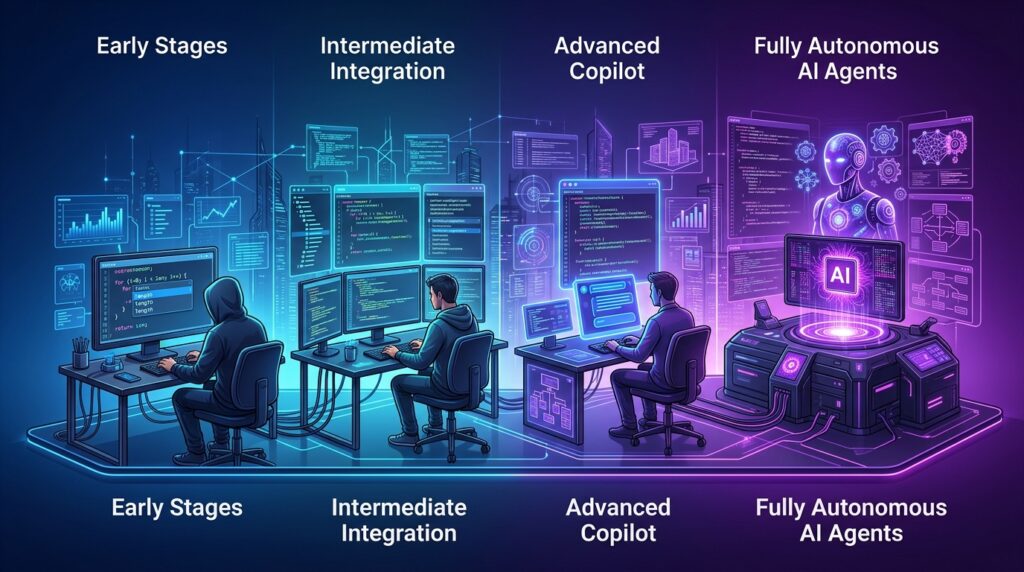
Not all AI coding tools are created equal. They fall on a spectrum of autonomy:
- Autocomplete — Suggests completions as you type. Examples: GitHub Copilot inline, Tabnine, Supermaven.
- Chat Copilot — You ask questions, it generates code blocks you paste in. Examples: ChatGPT, Copilot Chat.
- Composer / Inline Agent — Edits multiple files in your IDE based on instructions, but you approve each change. Examples: Cursor Composer, Windsurf Cascade.
- Background Agent — Works asynchronously on tasks in a sandboxed environment. You review the result. Examples: Cursor Background Agents, OpenAI Codex.
- Fully Autonomous Agent — Plans, codes, tests, and deploys with minimal oversight. Examples: Claude Code, Devin.
The tools reviewed below sit at levels 3 through 5 on this spectrum. That is where the real revolution is happening in 2026.
Top Agentic AI Coding Tools Ranked and Reviewed
1. Claude Code (Anthropic) — Best Terminal-Native Agent
What it does: Claude Code is a terminal-based AI coding agent built by Anthropic. You launch it inside any project directory, describe what you want, and it reads your codebase, edits files, runs commands, manages git, and iterates on errors — all from the command line.
How it works: Claude Code operates directly in your terminal with full access to your filesystem, shell, and development tools. It uses Anthropic’s most capable models (Claude Opus and Sonnet) with extended context windows up to 200K tokens. It understands entire repositories, not just open files. It creates branches, writes tests, runs CI, and fixes what breaks.
Key strengths:
- Deep repository understanding across thousands of files
- Runs shell commands, tests, linters, and build tools natively
- Git-aware: creates branches, commits, and even opens PRs
- Works with any language, framework, or toolchain
- Headless mode for CI/CD integration and automation pipelines
- Extended thinking for complex architectural decisions
Pricing: Free tier with usage limits. Pro plan ($20/month) includes generous Claude Code usage. Team and Enterprise plans available with higher rate limits. See our Claude Code pricing breakdown for full details.
Best use case: Developers who live in the terminal and want an agent that works across full repositories without being locked into a specific IDE. Ideal for backend work, DevOps, refactoring, and complex multi-file tasks.
For a deep dive, read our complete Claude Code guide.
—
2. OpenAI Codex (OpenAI) — Best Cloud-Based Async Agent
What it does: OpenAI Codex is a cloud-hosted coding agent that runs tasks asynchronously in a sandboxed environment. You assign it a task from the ChatGPT interface or API, and it spins up a cloud container with your repository, works on the problem, and presents the result as a pull request or diff.
How it works: Each task gets its own sandboxed environment with your repo cloned in. Codex installs dependencies, reads code, makes changes, runs tests, and verifies its own work. It uses the codex-1 model optimized for software engineering, built on OpenAI’s o3 reasoning model. Tasks run in the background — you can assign multiple tasks in parallel and review results later.
Key strengths:
- True async execution: assign tasks and walk away
- Sandboxed environments prevent accidental damage to your codebase
- Parallel task execution for multiple issues simultaneously
- Integrated with GitHub for PR creation
- Strong at following existing code patterns and conventions
Pricing: Available to ChatGPT Pro ($200/month), Team, and Enterprise users. Included in existing subscriptions with usage-based limits.
Best use case: Teams that want to offload well-defined tasks (bug fixes, test writing, small features) to an AI that works in the background while developers focus on architecture and code review. For a detailed head-to-head, see our Codex vs Claude Code comparison.
—
3. Cursor Composer & Background Agents (Anysphere) — Best IDE-Integrated Agent
What it does: Cursor is a fork of VS Code with deeply integrated AI capabilities. Its Composer feature lets you make multi-file edits from natural language, while Background Agents (launched in 2025) can work on tasks asynchronously in cloud sandboxes.
How it works: Composer operates inline in your editor, reading your full project context and applying coordinated edits across files. Background Agents go further: they spin up a remote environment, clone your repo, and work on GitHub issues independently. When done, they open a PR for your review.
Key strengths:
- Seamless IDE integration (familiar VS Code experience)
- Composer handles multi-file edits with real-time preview
- Background Agents for async task completion
- Strong codebase indexing and context retrieval
- Tab completion + agent capabilities in one tool
- BugBot for automated PR review
Pricing: Free tier available. Pro ($20/month) for advanced features. Business ($40/user/month) for team features and Background Agents.
Best use case: Developers who want the full spectrum of AI assistance — from autocomplete to background agents — inside a single IDE. Best for front-end and full-stack work where visual feedback matters.
—
4. Devin (Cognition) — Most Autonomous Standalone Agent
What it does: Devin is a fully autonomous AI software engineer built by Cognition. It operates in its own cloud environment complete with a code editor, terminal, and web browser. You assign it tasks via Slack, a web interface, or by tagging it on GitHub issues, and it works independently.
How it works: Devin plans its approach, writes code, browses documentation, runs tests, debugs failures, and iterates until the task is complete. It has its own persistent development environment and can handle multi-step tasks that require research, coding, and deployment.
Key strengths:
- Highest autonomy level of any commercial tool
- Integrated browser for reading docs and researching solutions
- Handles tasks from issue to PR with minimal guidance
- Slack integration for team-friendly task assignment
- Can deploy and verify changes in staging environments
- Maintains session history for complex multi-day tasks
Pricing: Team plan at $500/month for a pool of agent compute units (ACUs). Enterprise pricing available.
Best use case: Engineering teams that want to delegate well-scoped tasks to an AI teammate. Best for organizations with strong code review processes where Devin handles implementation and humans review quality.
Read our full Devin AI review for 2026.
—
5. Replit Agent (Replit) — Best for Rapid Prototyping
What it does: Replit Agent builds entire applications from natural language descriptions directly in Replit’s cloud IDE. It handles everything from project scaffolding to deployment.
How it works: You describe the app you want, and Replit Agent creates the project structure, writes the code, installs dependencies, sets up the database, and deploys it — all within Replit’s platform. It can iterate on feedback and handle both frontend and backend components.
Key strengths:
- Zero-to-deployed in minutes
- Handles full-stack apps including database setup
- Built-in hosting and deployment
- Excellent for prototypes and MVPs
- No local environment setup required
- Accessible to non-developers
Pricing: Included with Replit Core ($25/month) and Teams plans. Free tier with limited agent usage.
Best use case: Non-technical founders, students, and developers who want to go from idea to deployed prototype as fast as possible. Less suited for large existing codebases.
Need your own hosting? If you prefer to own your deployment rather than relying on platform lock-in, a developer-friendly VPS from Hostinger pairs well with any of these agentic tools. You get full root access, SSH, and the ability to deploy AI-built apps on infrastructure you control — starting under $5/month.
See our Replit Agent vs Cursor vs Claude Code comparison.
—
6. Windsurf Cascade (Codeium/OpenAI) — Best Flow-State Agent
What it does: Windsurf (formerly Codeium) offers Cascade, an agentic coding system integrated into its VS Code-based IDE. Cascade combines real-time collaboration with autonomous multi-step task execution.
How it works: Cascade maintains deep awareness of your codebase and ongoing edits. It can execute multi-step workflows — reading files, making edits, running terminal commands, and searching the web — while keeping you in the loop with a real-time activity feed. It operates in “flows” that track context across related changes.
Key strengths:
- Coherent multi-step workflows with maintained context
- Real-time collaboration (you can intervene mid-task)
- Strong codebase awareness and indexing
- Integrated terminal command execution
- Competitive free tier
Pricing: Free tier available with generous limits. Pro plan at $15/month. Teams pricing available.
Best use case: Developers who want agentic capabilities but prefer to stay closely involved, watching and guiding the agent as it works. Good balance of autonomy and control.
—
7. Cline (Open Source) — Best Open-Source Agent
What it does: Cline is an open-source VS Code extension that turns any LLM into an agentic coding tool. It can create files, edit code, run terminal commands, and use a browser — all with explicit user approval at each step.
How it works: Cline connects to your choice of LLM provider (Anthropic, OpenAI, local models, etc.) and uses a human-in-the-loop design where you approve each action. It supports MCP (Model Context Protocol) for extending its capabilities with custom tools and integrations.
Key strengths:
- Fully open source (Apache 2.0)
- Provider agnostic: works with any LLM
- MCP support for custom tool integrations
- Transparent: you see and approve every action
- Active community and ecosystem
- No vendor lock-in
Pricing: Free (open source). You pay only for your LLM API usage.
Best use case: Developers who want full control over their AI agent stack, need to use specific or local models, or want to extend capabilities through MCP integrations. Ideal for privacy-conscious teams.
—
8. Augment Code — Best for Enterprise Codebases
What it does: Augment Code is an AI coding platform designed for large enterprise codebases. Its agent capabilities focus on understanding massive, complex repositories with deep context awareness.
How it works: Augment indexes your entire codebase (including dependencies, internal libraries, and documentation) to build a deep understanding of your software architecture. Its agent can then make changes that respect complex internal patterns, APIs, and conventions that generic tools miss.
Key strengths:
- Purpose-built for large codebases (millions of lines)
- Deep understanding of internal APIs and patterns
- Context window effectively spans the entire repository
- Enterprise security and compliance features
- Works within existing IDE workflows
Pricing: Enterprise pricing (contact sales). Team trials available.
Best use case: Large engineering organizations with complex, proprietary codebases where context and convention adherence matter more than raw speed.
—
9. Antigravity (Spark Engine) — Best for Greenfield Projects
What it does: Antigravity is a fully autonomous coding agent that specializes in building complete applications from specifications. It focuses on generating production-ready code rather than editing existing projects.
How it works: You provide detailed specifications or high-level descriptions, and Antigravity generates a complete project with proper architecture, tests, documentation, and deployment configuration. It works in a cloud environment and delivers code via Git.
Key strengths:
- Generates complete, production-ready projects
- Strong architectural decisions out of the box
- Automated testing and documentation generation
- Clean code output with minimal cleanup needed
- Fast iteration on specifications
Pricing: Usage-based pricing. Free trial available.
Best use case: Teams starting new projects or microservices who want a solid foundation generated quickly. Less suited for modifying large existing codebases.
—
10. Kiro (AWS) — Best for AWS-Native Development
What it does: Kiro is AWS’s AI-powered IDE (built on VS Code) that brings agentic capabilities with a focus on spec-driven development. It translates requirements into technical specifications, then implements them autonomously.
How it works: Kiro uses a “spec-driven” approach: you define requirements, it generates design documents and implementation plans, then it executes on those plans with “steering hooks” that automate related tasks (like updating tests when code changes). It has deep integration with AWS services.
Key strengths:
- Spec-driven development reduces ambiguity
- Automated steering hooks for related task automation
- Deep AWS service integration
- Requirements-to-code pipeline
- Built-in best practices for cloud-native development
Pricing: Free tier available. Pro tier pricing TBD (currently in preview).
Best use case: Teams building on AWS who want an agent that understands their cloud infrastructure and follows a structured requirements-to-implementation workflow.
—
Comprehensive Comparison Table
| Tool | Autonomy Level | Environment | Context Window | Language Support | Pricing (from) | Open Source | Best For |
|---|---|---|---|---|---|---|---|
| Claude Code | Full Agent | Terminal | 200K tokens | All | Free / $20/mo | No | Terminal-first, full-repo work |
| OpenAI Codex | Background Agent | Cloud sandbox | 192K tokens | All | $200/mo (Pro) | No | Async background tasks |
| Cursor | Composer + Background | VS Code IDE | Full repo index | All | Free / $20/mo | No | IDE-integrated agent workflow |
| Devin | Fully Autonomous | Cloud environment | Full repo | All | $500/mo | No | Delegated task completion |
| Replit Agent | Full Agent | Cloud IDE | Project-scoped | Web stack | $25/mo | No | Rapid prototyping |
| Windsurf Cascade | Flow Agent | VS Code IDE | Full repo index | All | Free / $15/mo | No | Guided agentic flows |
| Cline | Approval-gated Agent | VS Code extension | Provider-dependent | All | Free (OSS) | Yes | Custom/local LLM agents |
| Augment Code | Enterprise Agent | IDE plugin | Full repo | All | Enterprise | No | Large codebases |
| Antigravity | Autonomous Builder | Cloud | Spec-scoped | All | Usage-based | No | Greenfield projects |
| Kiro | Spec-Driven Agent | VS Code IDE | Full repo | All | Free (preview) | No | AWS-native development |
How to Evaluate Agentic AI Coding Tools
Choosing the right agentic coding tool depends on more than just hype. Here are the criteria that actually matter:
Autonomy Level
How much can you trust the tool to work unsupervised? Tools like Devin and Claude Code can handle entire tasks end-to-end. Cline requires approval at each step. Your choice depends on your risk tolerance and code review process.
Context Window and Codebase Understanding
An agent is only as good as the code it can see. Tools with larger context windows or smarter retrieval (like Augment’s full-repo indexing) make better decisions on complex codebases. A tool that only sees the current file will make mistakes that a full-repo-aware agent avoids.
Tool Use Capabilities
The best agentic coding tools do not just write code. They run it. Look for agents that can:
- Execute shell commands and scripts
- Run test suites and interpret results
- Use linters and formatters
- Interact with APIs and databases
- Browse documentation
- Manage git operations
Safety and Control
Autonomous does not mean uncontrolled. Evaluate:
- Sandboxing: Does the agent run in an isolated environment?
- Approval gates: Can you require approval for destructive operations?
- Rollback: Can you undo the agent’s changes easily?
- Audit trail: Can you see exactly what the agent did and why?
Integration with Your Workflow
The best tool is the one that fits your existing process. Consider:
- IDE compatibility (or terminal preference)
- Git hosting integration (GitHub, GitLab, etc.)
- CI/CD pipeline integration
- Team collaboration features
- SSO and enterprise security requirements
When to Use Agents vs. Copilots
Not every task needs an autonomous agent. Here is a practical decision framework:
Use a copilot when:
- You are writing code and want faster completions
- The task is small and well-defined (a single function)
- You want to stay in direct control of every keystroke
- You are exploring or learning a new API
Use an agent when:
- The task spans multiple files or components
- You can clearly describe the desired outcome
- The task involves repetitive or boilerplate work
- You need to fix a bug that requires reading lots of code
- You want to parallelize work across multiple tasks
- The task includes testing and verification steps
The most productive developers in 2026 use both. Copilots for the moment-to-moment flow of writing code. Agents for the larger tasks that would otherwise take hours of context-switching.
The Future of Agentic Coding
We are still in the early innings. Here is where agentic AI coding tools are headed:
Multi-agent collaboration. Teams of specialized agents working together — one for frontend, one for backend, one for testing — coordinated by an orchestrator agent. Early implementations already exist in research settings.
Continuous autonomous improvement. Agents that monitor production systems, detect issues, write fixes, and deploy them — all without human intervention. The “self-healing codebase” is closer than most people think.
Natural language as the primary interface. As agents become more reliable, the gap between product specification and working software continues to shrink. The role of the developer shifts from writing code to defining intent and reviewing outcomes.
Standardized agent protocols. The Model Context Protocol (MCP) is already emerging as a standard for tool integration. Expect more standardization around how agents communicate, share context, and hand off tasks. Developers can already build their own agents using the Claude Code Agent SDK and extend workflows with custom skills.
The developers who will thrive are those who learn to work effectively with agents now — understanding their strengths, compensating for their weaknesses, and building workflows that combine human judgment with AI execution.
—
—
Frequently Asked Questions
What is the difference between an AI copilot and an AI coding agent?
An AI copilot assists you in real-time as you write code, suggesting completions and answering questions. An AI coding agent works autonomously on tasks you assign, planning its approach, writing and editing code across multiple files, running commands, and iterating on errors without continuous human input. The key difference is autonomy: copilots assist, agents execute.
Which agentic AI coding tool is best for beginners?
Replit Agent is the most beginner-friendly because it handles the entire development environment, requires no local setup, and can build complete applications from plain English descriptions. Cursor is a good next step for developers who want more control but still want an accessible IDE experience.
Are agentic AI coding tools safe to use on production code?
Yes, with proper guardrails. Most tools offer sandboxed execution environments (Codex, Devin, Cursor Background Agents) or require approval for destructive operations. Best practices include: using the agent on a feature branch, requiring human code review before merging, running the agent in isolated environments, and maintaining comprehensive test suites that validate the agent’s output.
Can AI coding agents replace developers?
No. In 2026, AI coding agents are powerful productivity multipliers, but they require human oversight for architectural decisions, product judgment, edge case handling, and quality assurance. They are best understood as highly capable junior developers who can execute tasks quickly but need guidance and review. The role of the developer is evolving from writing every line to directing, reviewing, and architecting.
How much do agentic AI coding tools cost?
Prices range from free (Cline, open source) to $500/month (Devin Teams). Most individual developer tools cost $15-$25/month. Claude Code and Cursor offer free tiers. Enterprise solutions like Augment Code use custom pricing. For most individual developers, $20/month for Claude Code Pro or Cursor Pro provides excellent value.
What programming languages do AI coding agents support?
All major agentic coding tools support virtually every mainstream programming language, including Python, JavaScript/TypeScript, Java, C++, Go, Rust, Ruby, PHP, and more. The quality of output varies by language — Python, JavaScript, and TypeScript typically get the best results because they have the most training data.
Can I use agentic coding tools with my existing IDE?
Yes. Cline and Augment Code work as extensions in VS Code. Cursor and Windsurf are VS Code forks with built-in agent features. Claude Code works in any terminal alongside any editor. Codex and Devin work via web interfaces and GitHub integration, independent of your IDE choice.
—
Last updated: March 24, 2026. We continuously test and update this guide as new tools launch and existing tools evolve. Have a tool we should review? Contact the RunAICode team.
